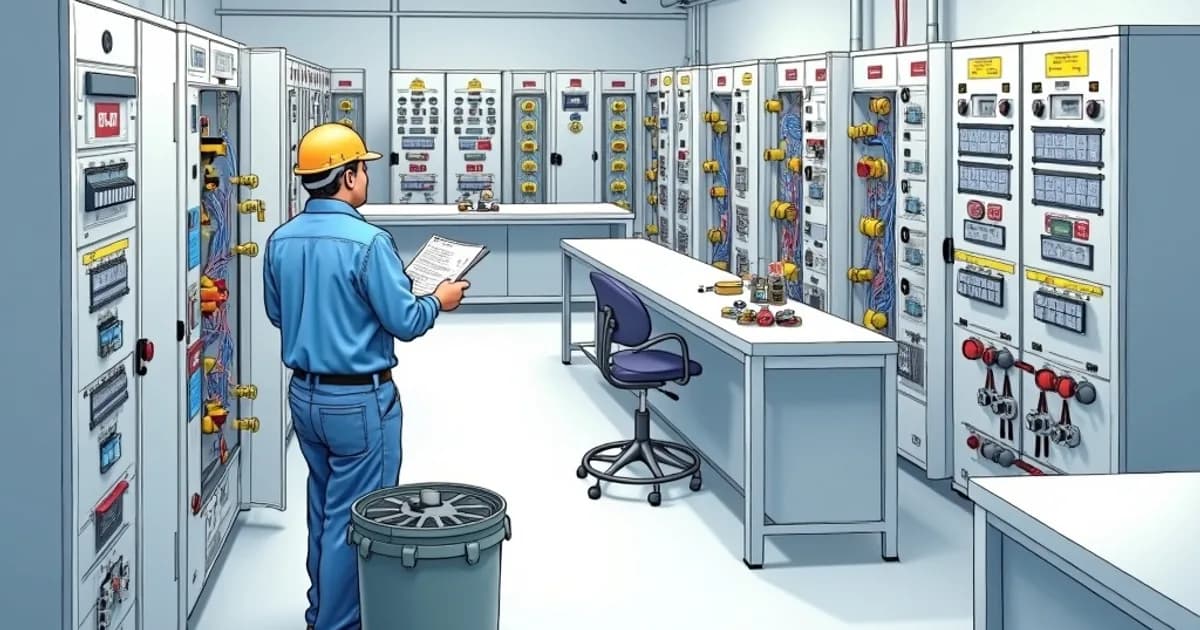
Control Panel Design & Layout Planning
The design and layout planning of industrial control panels is a critical step in the development process, setting the foundation for reliability, safety, and compliance. During this phase, engineers must meticulously consider both the electrical and physical design aspects to ensure optimal performance. The application of standards such as UL 508A and IEC 61439 is essential, as these regulations define the necessary clearance and creepage distances based on the panel's rated voltage and environmental conditions. Adequate spacing of components is vital not only for safety and regulatory compliance but also for future maintenance and inspection processes. Thermal management is another crucial factor in control panel design. The strategic arrangement of components can significantly impact the panel's thermal profile. Heat-producing elements, such as Variable Frequency Drives (VFDs) and power supplies, should be positioned away from components susceptible to heat damage, such as Programmable Logic Controllers (PLCs) and communication modules. Employing these thermal considerations enhances operational efficiency and prolongs component lifespan, aligning with the best practices suggested by the IEC 61439 standard for assembly verification. The incorporation of effective cable management systems is equally indispensable. Planning for wire routing involves defining clear pathways that accommodate expected cable loads while reducing electromagnetic interference. Proper use of wiring ducts and cable ties not only aids in maintaining a neat appearance but also facilitates easier troubleshooting and modifications. Strategic placement of DIN rails and door-mounted components requires careful measurement to prevent mechanical interference. These considerations ensure panels are user-friendly and serviceable, aligning with NFPA 79's emphasis on safety and operational efficiency. Attention to design details extends to the choice of components and materials. Engineers must select materials that resist corrosion and meet the specific environmental requirements of the application. This includes selecting enclosures with the appropriate Ingress Protection (IP) rating to guard against dust and moisture, as specified by IEC standards. The choice of switches, relays, and terminal blocks must adhere to functional requirements and quality standards, contributing to the overall integrity of the control system. In practice, leveraging 3D design tools can enhance the panel layout planning process. These tools enable designers to visualize the spatial arrangement of components, test clearances, and verify alignment with specified standards before physical assembly begins. This proactive approach minimizes costly rework and ensures that panels are assembled efficiently and correctly the first time, thereby reducing lead times and boosting client satisfaction. By refining design processes with technological support and a thorough understanding of applicable standards, panel builders and system integrators can consistently deliver high-quality, compliant control panels. Investing time and resources in meticulous design and layout planning at the project's onset leads to significant dividends throughout the panel's lifecycle. It results in panels that pass inspection with minimal revisions, reduce downtime during maintenance, and offer reliable performance under varying operational conditions. Through adherence to industry standards and a focus on practical layout solutions, engineers contribute to creating robust and efficient control systems that meet modern industrial demands.
Tools Required
- CAD software (AutoCAD Electrical, EPLAN, or SEE Electrical)
- Panel layout templates and stencils
- Measuring tape and calipers
- Component datasheets and dimensional drawings
- Thermal calculation software
- Wire duct sizing calculator
- DIN rail cutting tool
- Label printer
Applicable Standards
- UL 508A - Industrial Control Panels
- NFPA 79 - Electrical Standard for Industrial Machinery
- IEC 61439 - Low-voltage switchgear and controlgear assemblies
- NEC Article 409 - Industrial Control Panels
Procedure Steps
Gather Requirements and Specifications
Collect all project requirements including the electrical schematics, I/O lists, power budgets, environmental conditions, and any customer-specific standards. Review the bill of materials to confirm every component that must be housed in the panel and note any special mounting requirements such as through-door mounting for HMIs or externally operated disconnects.
Select and Size the Enclosure
Choose an enclosure that provides sufficient internal volume for all components while meeting the required NEMA or IP rating for the installation environment. Calculate the minimum enclosure size by summing component footprints and adding a minimum of 20% extra space for wire routing, ventilation, and future expansion. Consider wall-mount, floor-standing, or freestanding configurations based on the installation site constraints.
Plan Component Placement and Thermal Zones
Arrange components on the backplane following a logical thermal zoning strategy: place heat-generating devices such as VFDs, power supplies, and contactors in the upper portion of the enclosure where rising hot air can be exhausted, and position temperature-sensitive components like PLCs, communication modules, and relays in the lower cooler zone. Maintain the manufacturer-specified minimum clearances between components for proper ventilation and arc flash distances.
Design Wire Routing and Duct Layout
Plan the wire duct (panduit/cable tray) layout to provide clean, organized routing paths between all components. Size wire ducts to be filled no more than 40-50% for power conductors and 50-60% for control wiring, allowing room for additional wires and adequate heat dissipation. Route power and control wiring in separate ducts or on separate sides of shared ducts to minimize electromagnetic interference.
Plan DIN Rail and Mounting Configuration
Determine DIN rail positions, types (standard 35mm TS35, or G-type 32mm), and lengths required for each row of components. Space DIN rails to provide adequate vertical clearance between rows for wire entry into ducts and component access. For heavy components like large contactors or power supplies, plan supplemental rail supports or direct panel mounting with bolted connections.
Document Door-Mounted Components and Clearances
Lay out all door-mounted components such as HMI touchscreens, pilot lights, selector switches, pushbuttons, and E-stop devices with proper spacing for operator ergonomics and NEMA/IP gasket integrity. Verify that door-mounted components have adequate rear clearance from backplane-mounted devices when the door is closed, accounting for cable service loops behind the door.
Perform Design Review and Generate Final Documentation
Conduct a formal design review of the completed panel layout with all stakeholders, checking for compliance with applicable standards, adequate spacing, correct component placement, and completeness against the bill of materials. Generate final fabrication drawings including backplane drilling patterns, wire duct cut lists, DIN rail lengths, door cutout dimensions, and component placement coordinates for the assembly team.
Related Procedures
Wiring Standards & Best Practices
Apply professional wiring techniques that ensure reliable connections, meet code requirements, and simplify troubleshooting in industrial control panels.
Thermal Management & Cooling Design
Design and implement effective thermal management solutions for control panels to maintain component temperatures within rated limits and ensure long-term reliability.
Grounding & EMC Shielding Techniques
Implement proper grounding systems and electromagnetic compatibility shielding to ensure safety, signal integrity, and regulatory compliance in control panels.
Related Categories
Need a Custom Control Panel Solution?
Our engineering team designs and builds industrial control panels to your exact specifications. Get a free quote today.
Frequently Asked Questions
References & Citations
Underwriters Laboratories (UL)
National Fire Protection Association (NFPA)
keltour.com
simcona.com
automationdistribution.com
surecontrols.com
idc-online.com
mcivereng.com
newark.com
c3controls.com