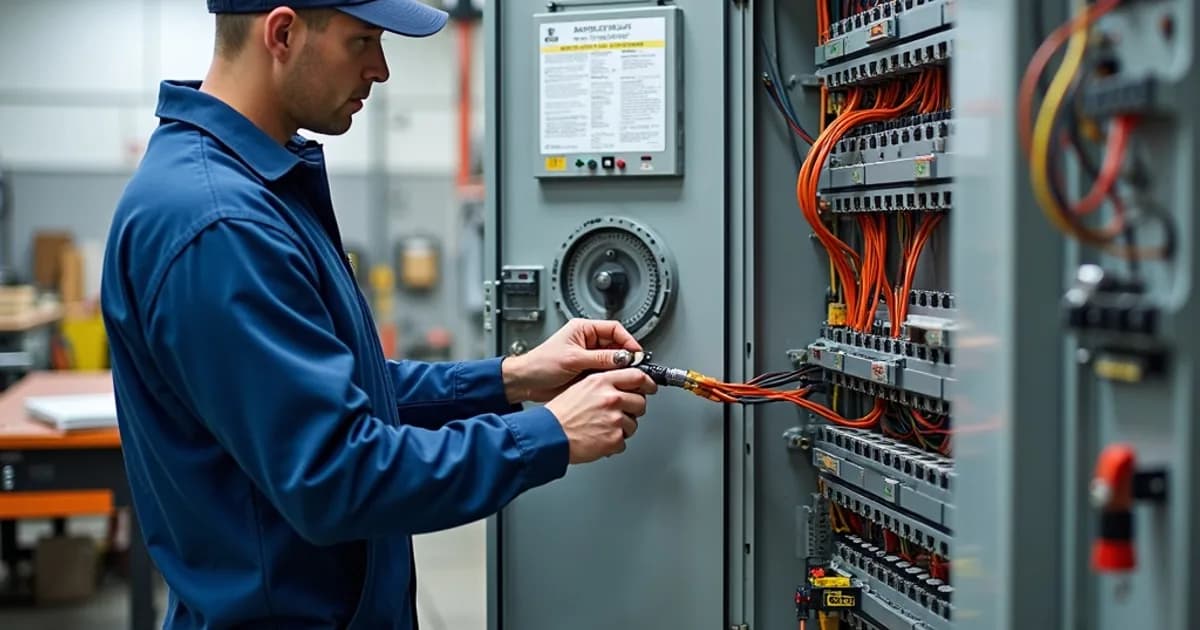
Wiring Standards & Best Practices
Proper wiring in industrial control panels is critical for ensuring electrical reliability, safety, and long-term maintainability. Industrial standards such as UL 508A and NEC Article 409 provide a framework that guides panel builders in meeting legal requirements while optimizing performance. Wiring standards govern conductor sizing, termination, and routing, all of which mitigate risks such as thermal degradation and electromagnetic interference. For instance, conductor sizing is dictated by current load requirements and must comply with temperature ratings outlined by industry standards like NEC 310 and NEC 110. Practical adherence to these standards ensures that panels can handle operational demands without exceeding their thermal limits. Wire labeling and color coding play a crucial role in the functionality and maintenance of control panels. Following NFPA 79 and IEC 60204-1 guidelines, wires must be clearly labeled and color-coded, which simplifies identification during installation, troubleshooting, and servicing. Proper labeling reduces the potential for errors, facilitating more efficient maintenance and minimization of downtime. Additionally, using color codes that conform to standards reduces confusion, allowing technicians to quickly identify circuitry elements, which is particularly valuable during fault diagnosis. Precise termination techniques, including the use of ferrules and correct torque specifications for terminal connections, are essential for ensuring dependable connections. Incorrect torque can lead to loose connections, resulting in arcing and potential component failure, while ferrules ensure secure and reliable terminations of stranded wires. UL 486A-486B provides specifications for secure termination practices, emphasizing the importance of maintaining mechanical integrity and electrical conductivity. Bend radius requirements are another crucial aspect that impacts the durability of wiring within control panels. According to specifications like the IEEE 1185, maintaining appropriate bend radii prevents stress and damage to wires, especially in applications involving dynamic motion or flexible cables. This attention to detail further extends the lifecycle of the panel and enhances its reliability under varying operational conditions. Ensuring appropriate bend radii is also vital to mitigating unexpected failures related to mechanical stress. A well-organized control panel not only meets compliance requirements but also delivers practical benefits, including enhanced ease of troubleshooting. By adhering to best practices for wire management, such as using wire ducts, ties, and separation of high and low voltage circuits, panel builders can significantly simplify maintenance procedures. Efficient wire organization minimizes the time required to isolate and resolve faults, ultimately leading to reduced operational downtime and maintenance costs. Overall, the integration of robust wiring standards and best practices is indispensable for the success of control panel production. Compliance with internationally recognized standards and dedication to detailed workmanship is crucial for panel builders and system integrators aiming to deliver reliable, efficient, and user-friendly solutions in the competitive industrial automation sector.
Tools Required
- Wire stripping tool (self-adjusting type recommended)
- Hydraulic or ratcheting ferrule crimping tool
- Torque screwdriver (calibrated, 0.5-5 Nm range)
- Wire labeling machine (Brady BMP or equivalent)
- Multimeter with continuity and insulation resistance functions
- Wire duct cutting tool
- Cable tie installation tool
- Heat gun for shrink tubing
Applicable Standards
- UL 508A - Industrial Control Panels
- NFPA 79 - Electrical Standard for Industrial Machinery
- IEC 60204-1 - Safety of machinery - Electrical equipment of machines
- NEC Article 310 - Conductors for General Wiring
Procedure Steps
Plan Wire Routing and Prepare Materials
Before cutting any wire, study the schematic and panel layout to plan the routing path for each conductor. Identify the wire gauge required for each circuit based on the ampacity tables in NEC Article 310, factoring in derating for bundled conductors. Prepare a wire cut list organized by gauge, color, and destination, and pre-cut all conductors to length with approximately 150mm of service slack at each end.
Apply Wire Identification and Color Coding
Label every conductor at both ends with machine-printed wire markers that correspond to the wire numbers shown on the electrical schematic. Follow the color coding standards defined by NFPA 79 or IEC 60204-1 as specified by the project requirements: for NFPA 79, use black for line voltage power, red for AC control circuits, blue for DC control circuits, and green or green/yellow for grounding conductors.
Strip and Terminate Conductors with Ferrules
Strip each conductor to the length specified by the terminal manufacturer (typically 8-10mm for standard screw-clamp terminals) using a self-adjusting stripping tool to prevent nicking the conductor strands. Install bootlace ferrules (wire-end ferrules) on all stranded conductors using a calibrated ratcheting crimp tool with the correct die set for the ferrule size. The ferrule provides a solid, gas-tight termination that prevents strand splaying and ensures consistent contact pressure.
Route Conductors Through Wire Ducts
Route each conductor through the pre-installed wire ducts following the planned routing paths, keeping power and control wiring in separate ducts. Maintain wire duct fill at or below 50% for power conductors and 60% for signal-level wiring. Enter and exit wire ducts at right angles and route wires in a neat, parallel manner without crossing over each other unnecessarily within the duct.
Make Terminal Connections with Proper Torque
Insert each terminated conductor into its designated terminal and tighten the clamping screw or spring-clamp mechanism to the manufacturer's specified torque value. Use a calibrated torque screwdriver for all screw-clamp terminals to ensure consistent, code-compliant connections. After initial torquing, perform a visual inspection to verify that each conductor is fully seated and that no insulation is trapped under the clamp.
Wire Power Distribution and Main Feed Conductors
Install the main power feed conductors from the incoming line terminal block or disconnect switch to the main circuit breaker, then distribute to branch circuit breakers and power supplies. Size power conductors per NEC ampacity tables with appropriate derating factors applied. Use properly rated ring terminals or compression lugs for all bolted power connections and maintain phase color consistency throughout the panel.
Install Control and Signal Wiring
Wire all control circuits including PLC I/O, relay coils, pilot devices, and safety circuits. Use the appropriate wire gauge for control circuits (typically 16-18 AWG for discrete I/O and 18-22 AWG for analog signals). Install shielded cable for all analog signals (4-20mA, 0-10V) and communication buses (RS-485, Ethernet), grounding the shield at one end only to prevent ground loops.
Perform Final Wiring Inspection and Documentation
Conduct a comprehensive point-to-point verification of every connection against the electrical schematic, checking wire numbers, terminal designations, and torque. Verify insulation resistance between all power conductors and ground using a megohmmeter at the rated test voltage. Document any field deviations from the original schematic with red-line markups for as-built drawing updates.
Related Procedures
Control Panel Design & Layout Planning
Plan and design control panel layouts that meet electrical standards, optimize wire routing, and ensure adequate spacing for maintenance and thermal performance.
Testing & Commissioning Procedures
Systematically verify control panel functionality through electrical testing, functional validation, and safety system verification before energizing in the field.
Grounding & EMC Shielding Techniques
Implement proper grounding systems and electromagnetic compatibility shielding to ensure safety, signal integrity, and regulatory compliance in control panels.
Related Categories
Need a Custom Control Panel Solution?
Our engineering team designs and builds industrial control panels to your exact specifications. Get a free quote today.
Frequently Asked Questions
References & Citations
Underwriters Laboratories (UL)
National Fire Protection Association (NFPA)
keltour.com
idc-online.com
automationdistribution.com
control.com
simcona.com
surecontrols.com
electrical-engineering-portal.com